

App and web account

The same login and password in the browser and on your phone. Live view, archive, alarms and security always at hand.

Android app

Push alarms with a frame, live video, archive, security modes, smart home and adding a camera right from the phone — including an RTMP key for the camera.

Google Play — coming soon

We are preparing the app for publication. While it is in testing, everything works the same in the web account — in your phone’s browser.

Web account in the browser

Nothing to install: open your account on a computer or phone. All settings live here: cameras, security, notifications, users, plan and billing.

  • Overview: security and camera status on one screen
  • Archive by calendar and events, clip downloads
  • Incidents: alarm → analysis → closed with a reason
  • Users and access to specific cameras
  • Light and dark theme, four languages

Open your account

ProstoCAMbot
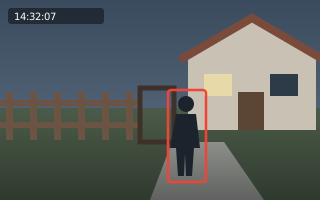
Illustrative frame from a yard camera
🚨 Yard · person
14:32 · “Away” mode
RECORDING ↗AI ANALYSIS
🤖 A person in a dark jacket is standing by the gate, looking at the front door. Nobody else is in the frame.
send the video from a minute before this alarm
🎞 Video 14:31–14:33
Example

Telegram bot

Link a chat with a code from your account and alarms with a frame arrive there. The bot understands simple phrases: “who was in the yard yesterday?”, “send the video from a minute before this alarm”, and the security mode switches with a button right in the chat.

The “Feedback” button

Something unclear or broken? Press “Feedback” in your account or the app. Your message, together with the screen context, goes straight to our team.

Try it with your own camera

Signing up takes a minute: your login is your phone number or e-mail. Then the wizard tells you what to enter in the camera.