House, flat, country home
See who is at the gate while you are at work. Get an alarm when nobody is home — and none when everyone is. Check what happened at night, even if the camera was torn down.


Cloud video surveillance
Recordings in the cloud with no recorder or memory cards, Telegram alarms with a frame and video, and AI that tells you what happened in your language. The camera connects by itself — no port forwarding, no public IP address.
Your login is your phone number or e-mail. The account works in the browser on your phone and computer.
 ProstoCAMbot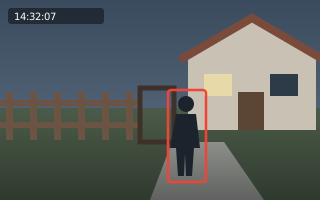
See who is at the gate while you are at work. Get an alarm when nobody is home — and none when everyone is. Check what happened at night, even if the camera was torn down.
Several sites in one account, staff access limited to the cameras they need, an activity log, incidents with evidence. Arm on a schedule or with a single tap.
Video is recorded to our server, not just to the card inside the camera. If the camera is stolen or smashed, the recording stays. Archive depth depends on your plan.
When armed, the camera spots motion and Telegram gets a frame plus a “RECORDING” button that opens the archive at that moment. Need the video? Just ask the bot in plain words.
The AI looks at a series of frames from the event and says in plain words what is going on: a person, a car, an animal or just a shadow. In Ukrainian, English, Bulgarian or Russian.
An Ajax hub sends its alarms to our platform by itself. So do Home Assistant sensors — Tuya, eWeLink, Zigbee, Aqara: a door opens and Telegram gets a frame from the camera next to it.
“Home”, “Away”, “Night” — alarms arrive only when they should. Switch in your account, the app or Telegram.
Hikvision and Dahua call the platform themselves; an RTMP camera pushes its own stream. No public IP needed.
Ask “who was in the yard last night?” and get the events with frames. In your account and in Telegram.
A separate login for everyone, limited to the cameras you allow.
A link to a recording for a neighbour or the police — without your password. An event clip can be downloaded as a file.
Live view, archive and alarms — in the browser on any device and in the Android app.
Your login is a phone number or e-mail. Name your site: “Home”, “Shop”.
Pick the brand — the wizard shows what to enter in the camera and waits until it calls in.
Connect Telegram and alarms with a frame arrive where you look most often.
The frame refreshes every 10 seconds — this is what a camera connected to ProstoCAM looks like.
Price per month of service. What is included is listed below — no small print.